Viewing Your Characters
From the User Dashboard, clicking on My Characters will display a grid of every character on the account. At a glance, the grid cards display:- Character Name
- Class/Job (e.g., Warrior, Ninja, Sura, Shaman, Lycan)
- Level
- Empire Flags & Colors
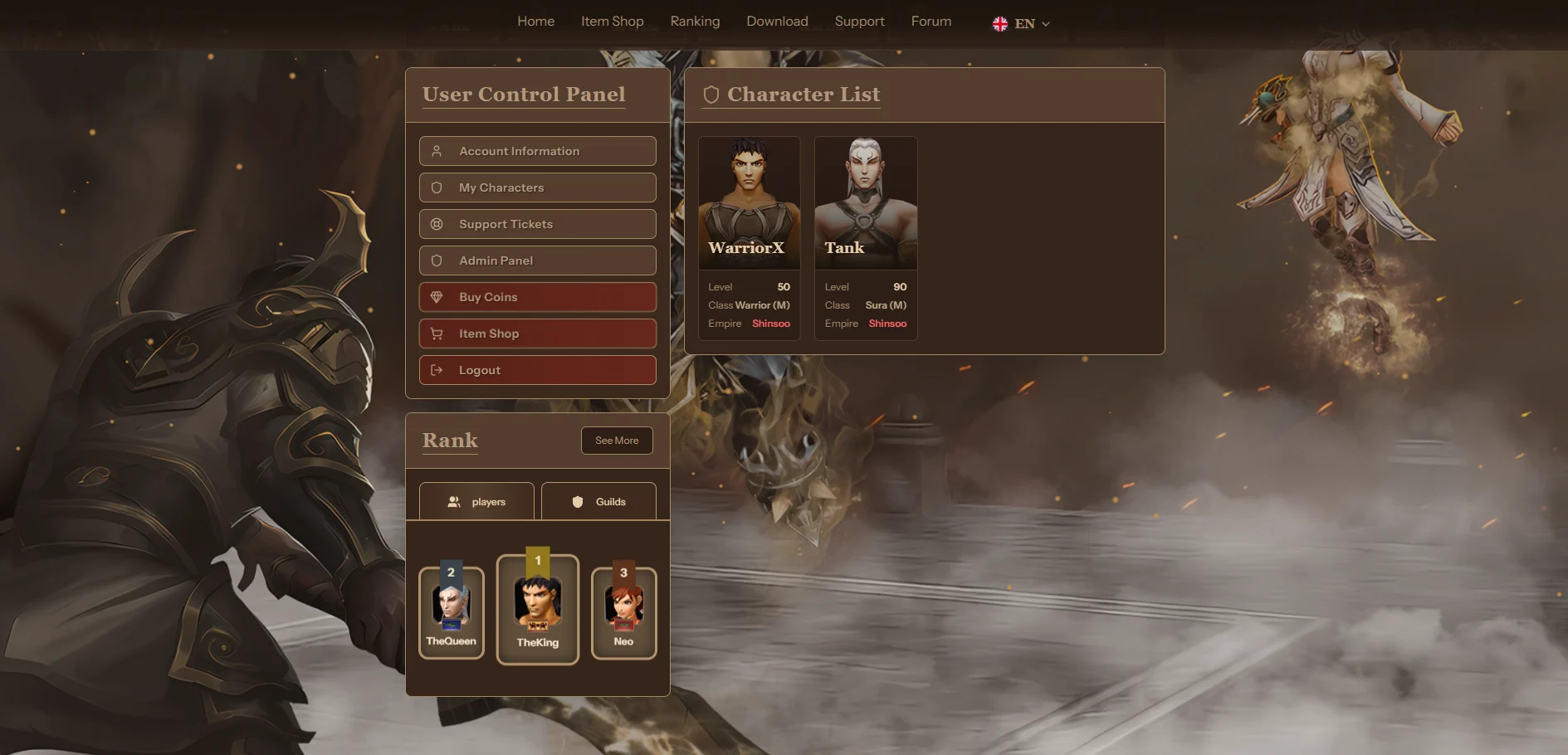
This is especially helpful for players who have multiple accounts and want to quickly figure out which account holds a specific character without having to log into the game client.
Deep Dive: Character Profile
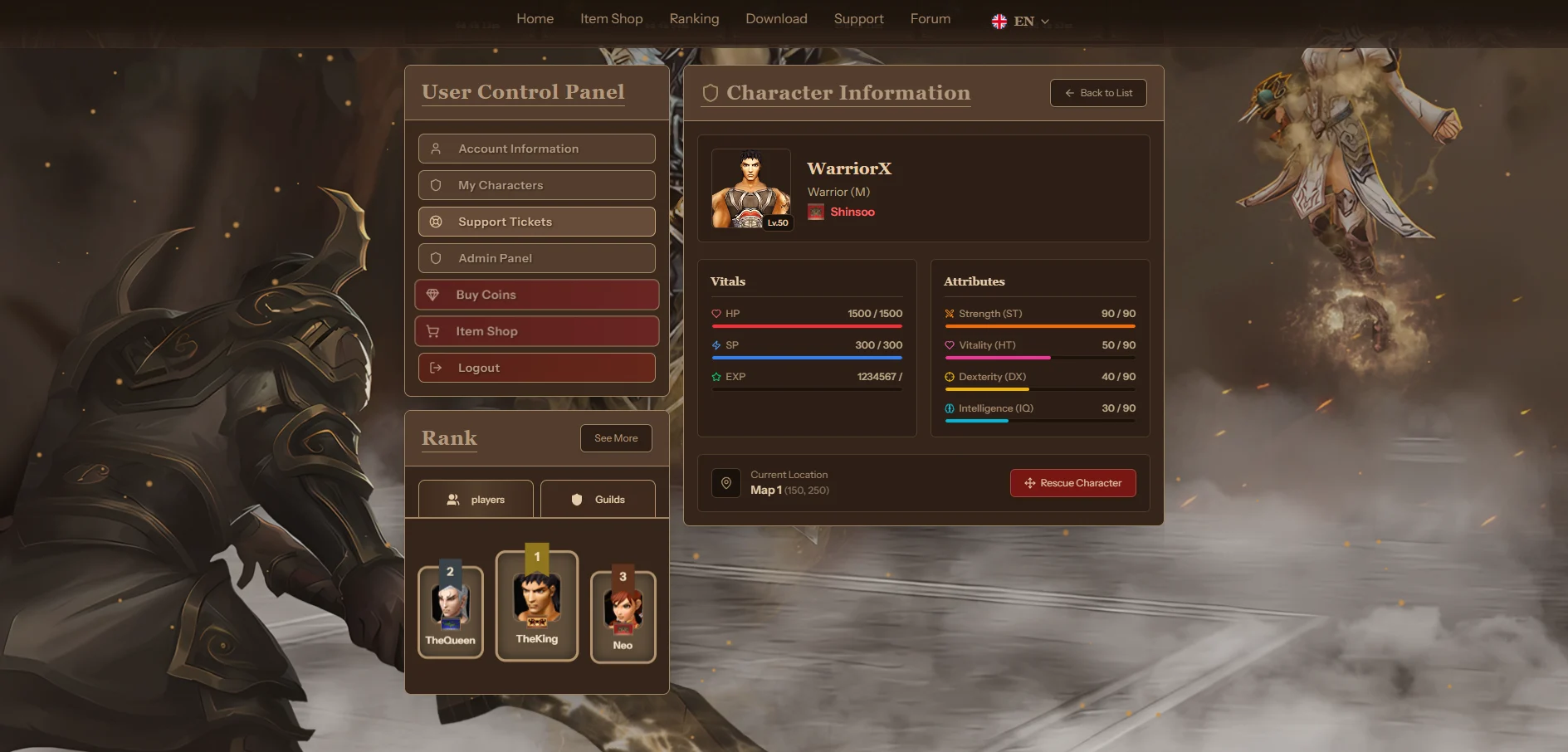
When a player clicks on any of their characters from the grid, they are taken to a dedicated Character Information profile. This profile provides an even deeper dive into the character’s progress and current state. From here, players can view live data pulled straight from the game database:Vitals
Live progress tracking for HP (Health), SP (Mana/Skill Points), and EXP (Experience) required for the next level.
Attributes
The character’s fundamental build allocations:
- Strength (ST)
- Vitality (HT)
- Dexterity (DX)
- Intelligence (IQ)