
Accessing Forum Management
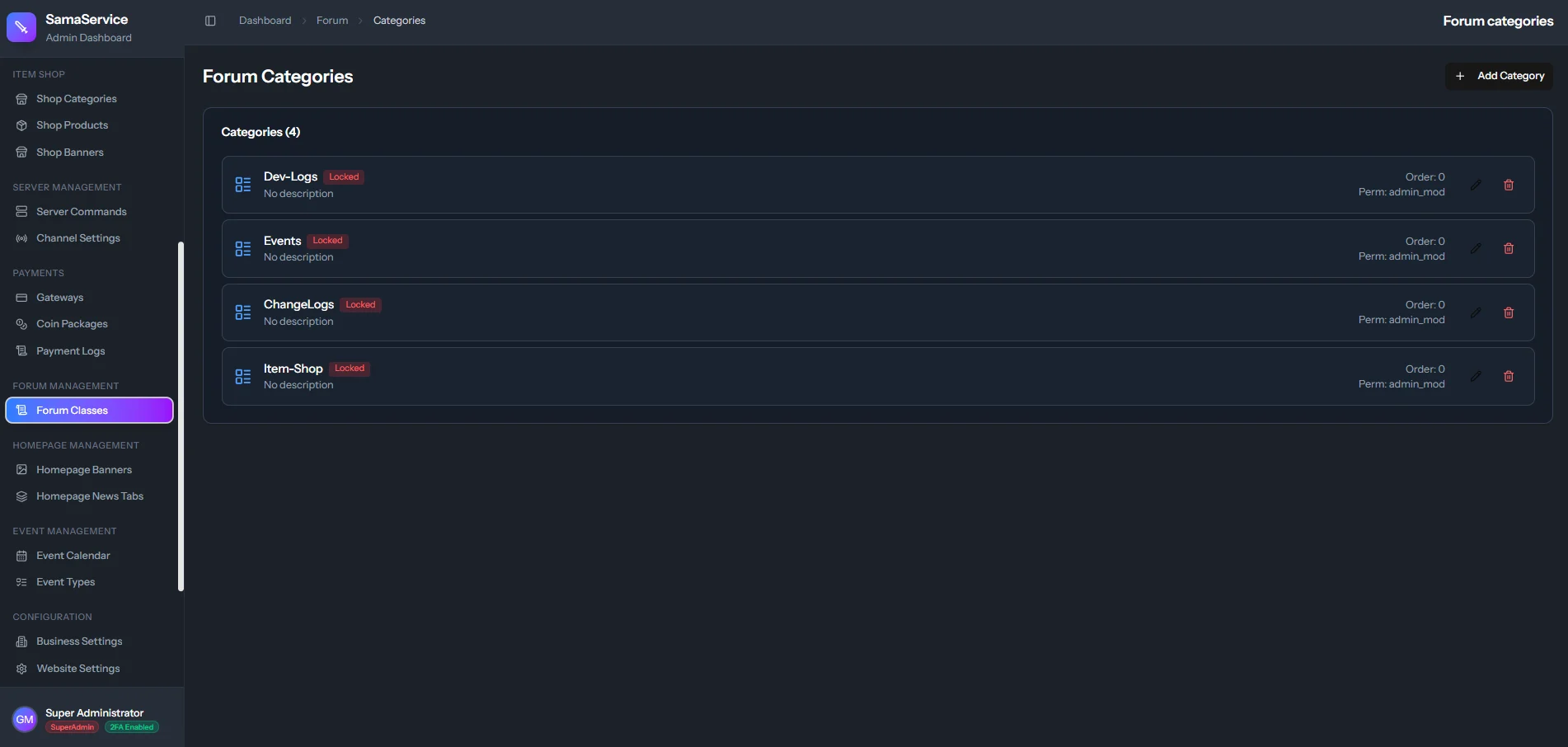
Navigate to Forum in the admin sidebar. You’ll see a list of all existing categories with their current settings.Creating a Category
Click Add Category
Click the Add Category button in the top-right corner to open the creation dialog.
Set Basic Information
- Name — The display name shown to players (e.g., “General Discussion”, “Bug Reports”).
- Description — A brief summary of what should be discussed in this category.
Set Permissions
Configure two key access controls:
| Setting | Options | Description |
|---|---|---|
| Topic Creation | Everyone, All Authenticated, Admins & Mods, Admins Only | Controls who can start new topics |
| Visibility | Public, Authenticated Only | Controls who can see the category |
Configure Replies & Order
- Replies Enabled — Toggle whether players can reply to topics in this category. Useful for announcement-only categories.
- Order — Set a numeric value to control the display order (lower numbers appear first).
Editing a Category
Click the Edit (pencil) icon on any category row to open the edit dialog. All fields from creation are available for modification. Click Update Category to save.Deleting a Category
Click the Delete (trash) icon on a category row. A confirmation prompt will appear before deletion proceeds.Permission Reference
Topic Creation Permissions
Everyone
Everyone
Any logged-in player can create topics. This is the default and recommended for general discussion boards.
All Authenticated
All Authenticated
Same as “Everyone” — all authenticated (logged-in) players can post.
Admins & Mods Only
Admins & Mods Only
Only users with Admin or Moderator roles can create topics. Players can still view and reply (if replies are enabled). Ideal for News or Patch Notes categories.
Admins Only
Admins Only
Only administrators can create topics. Good for Official Announcements or Rules categories.
Visibility Options
| Option | Who Can See |
|---|---|
| Public | Everyone, including guests who are not logged in |
| Authenticated Only | Only logged-in players can see the category |
Content Moderation
Staff members (Admins and Moderators) have additional moderation tools within the forum:- Edit any topic — Staff can edit the title and body of any topic, not just their own.
- Delete topics — Staff can permanently delete entire topics and all their replies.
- Delete individual replies — Staff can remove specific replies from any topic.
- Delete chat messages — Admins can remove inappropriate messages from the Community Chat.
- Pinned topics — Topics can be pinned to the top of a category for important announcements.
Homepage Integration
Forum categories power two key features on the homepage. These are managed separately:Homepage Banners
Create a rotating image carousel that links to your forum categories and their latest topics.
Homepage News Tabs
Display the latest topics from selected categories as tabbed news panels on the homepage.