
Configuration Options
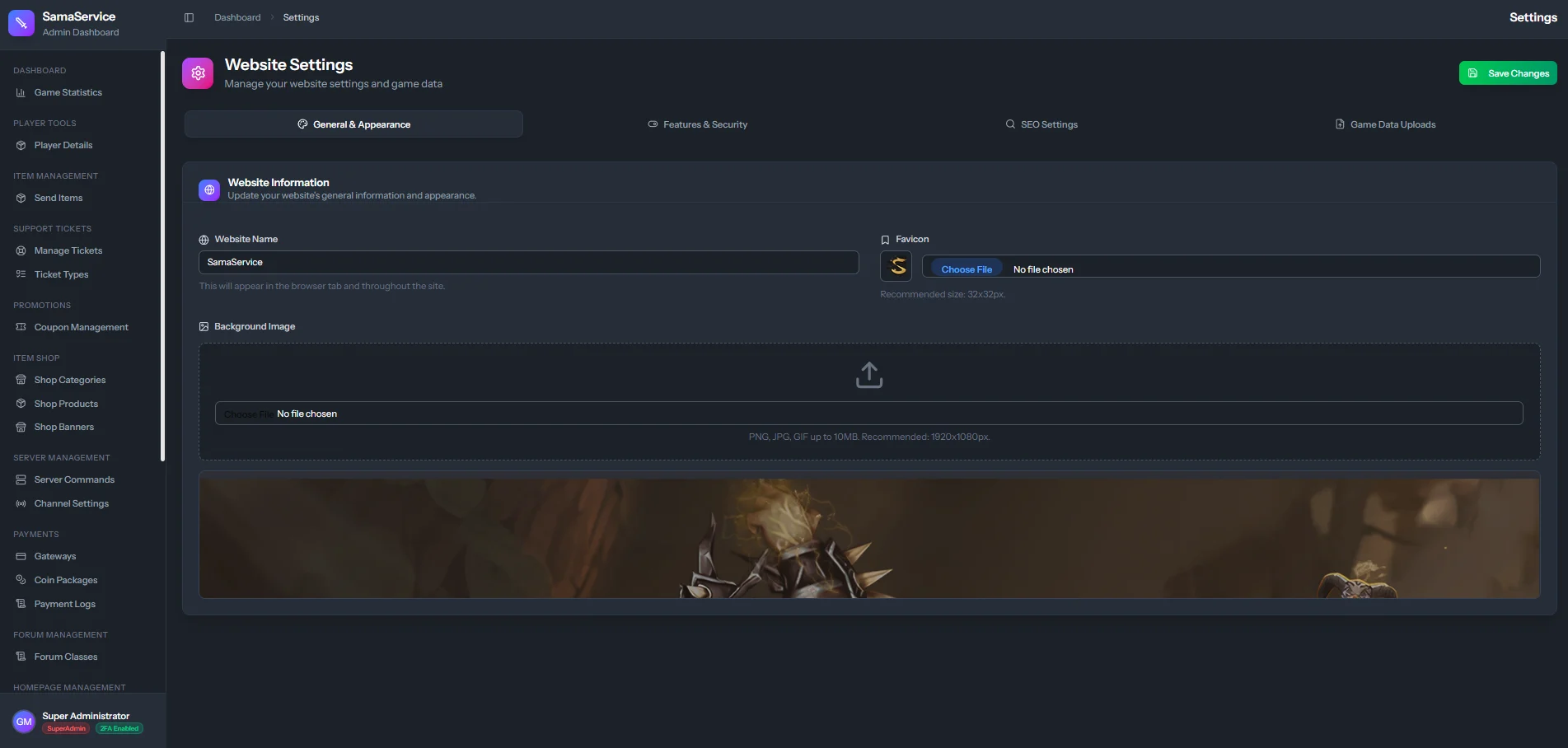
Website Name
Website Name
This is the primary title of your website. It appears in the browser tab and is often used as the fallback text when logos or titles are unavailable.
Website Background
Website Background
Upload a high-quality background image for your homepage.
- Recommended Format: WebP or optimized JPEG.
- Recommended Size: 1920x1080 pixels. This image acts as the primary atmospheric backdrop for unauthenticated users and the main landing page.
Favicon
Favicon
The small icon that appears next to your website title in the browser tab and bookmarked pages.
- Recommended Format:
.icoor.png. - Recommended Size: 32x32 or 64x64 pixels.