
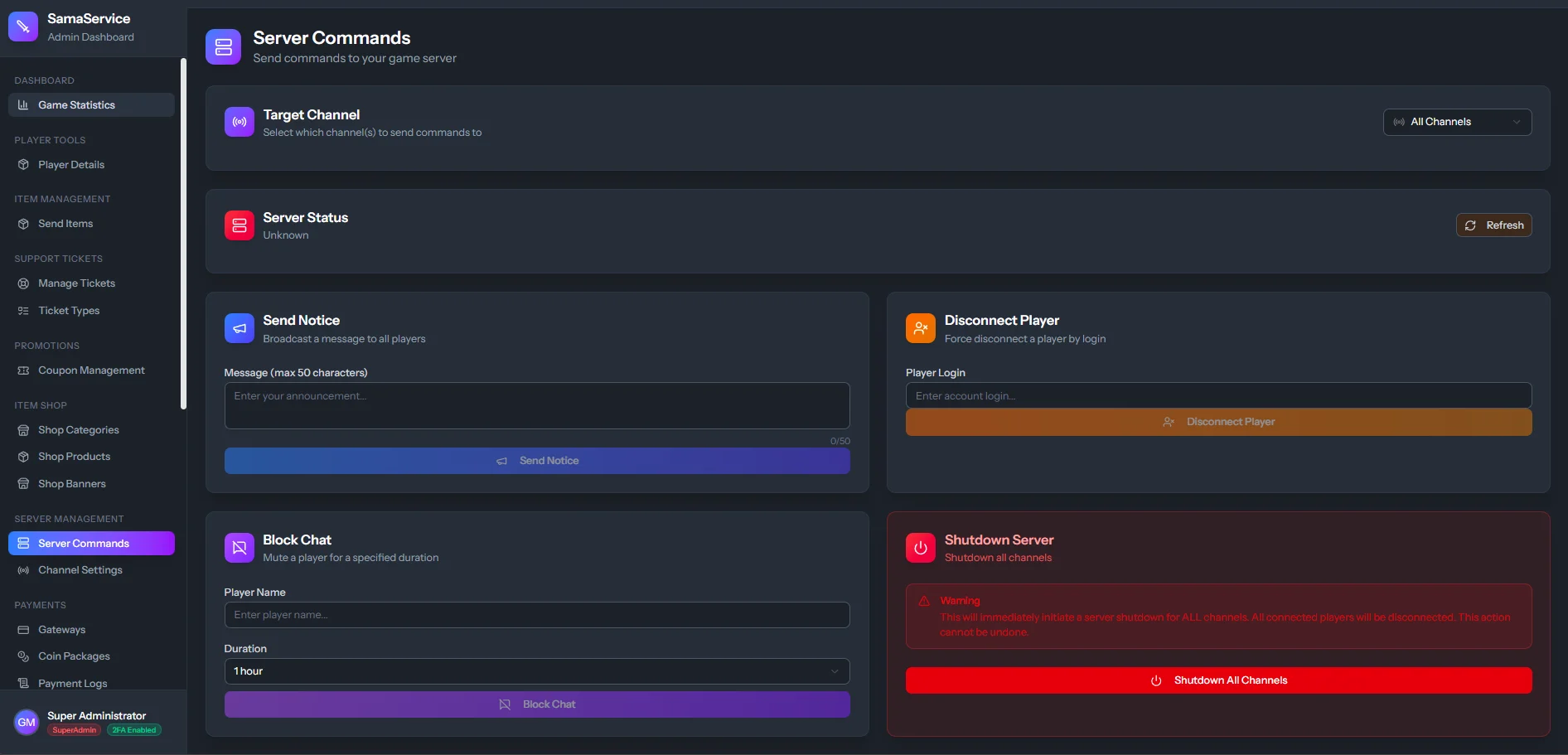
Direct Server Actions
Once your game server and CMS are connected, the dashboard allows you to execute the following critical tasks:1. View Server Status
Quickly check if the
db core or the individual server channels are currently online, offline, or experiencing connection issues.2. Send Notices
Broadcast a message to every player currently logged into the game. Extremely useful for announcing restarts, events, or linking to a new website update.
3. Disconnect Players
Forcefully kick a player from the server. This is typically used when a player is stuck, or a Game Master requires immediate offline access to the account for testing.
4. Block Chat (Mute)
Instantly mute a player who is spamming or breaking communication rules in-game.