Adding a New Language
By default, your site might only have English installed. To expand your server’s audience: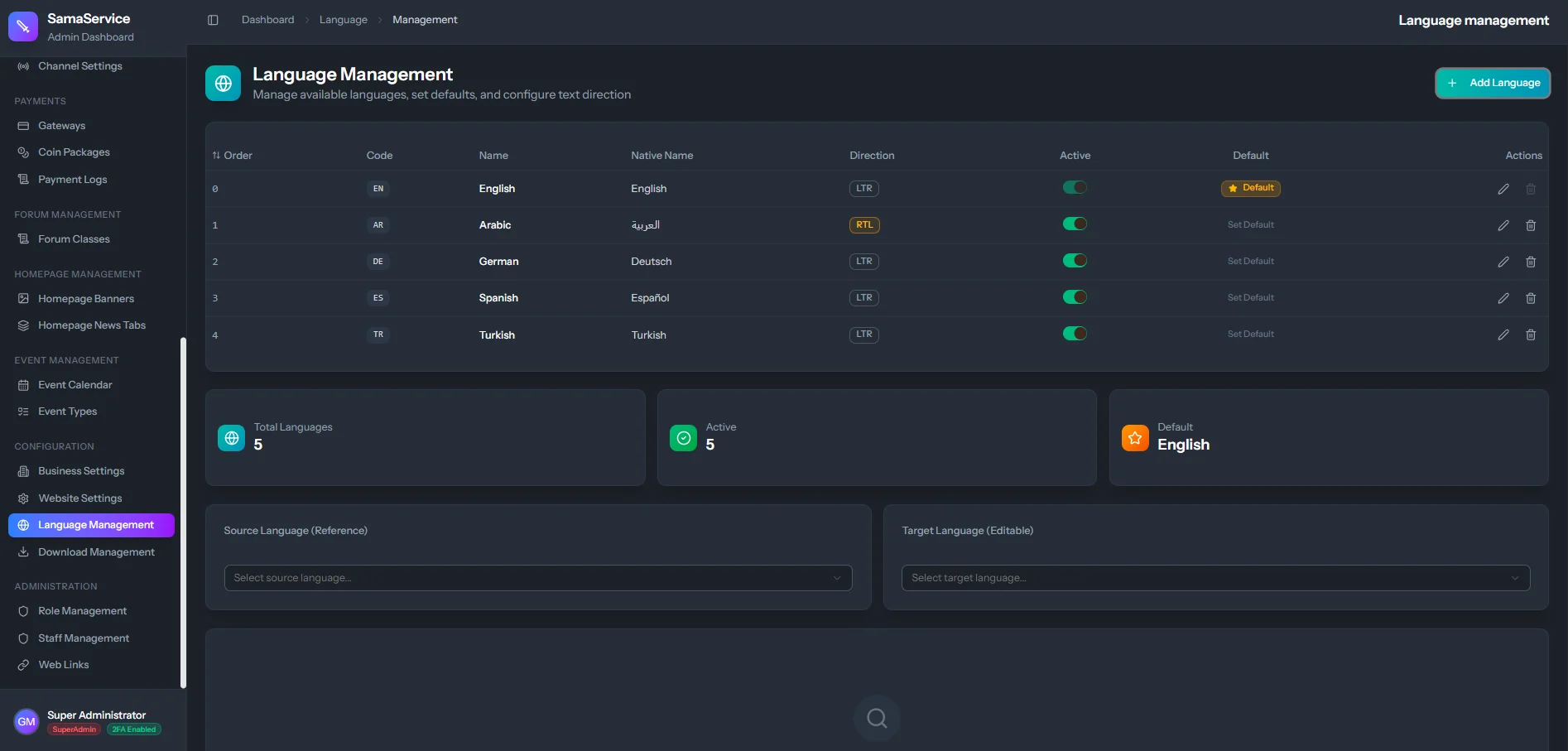
Once saved, the new flag will immediately appear in the robust language selector on the public website’s header.
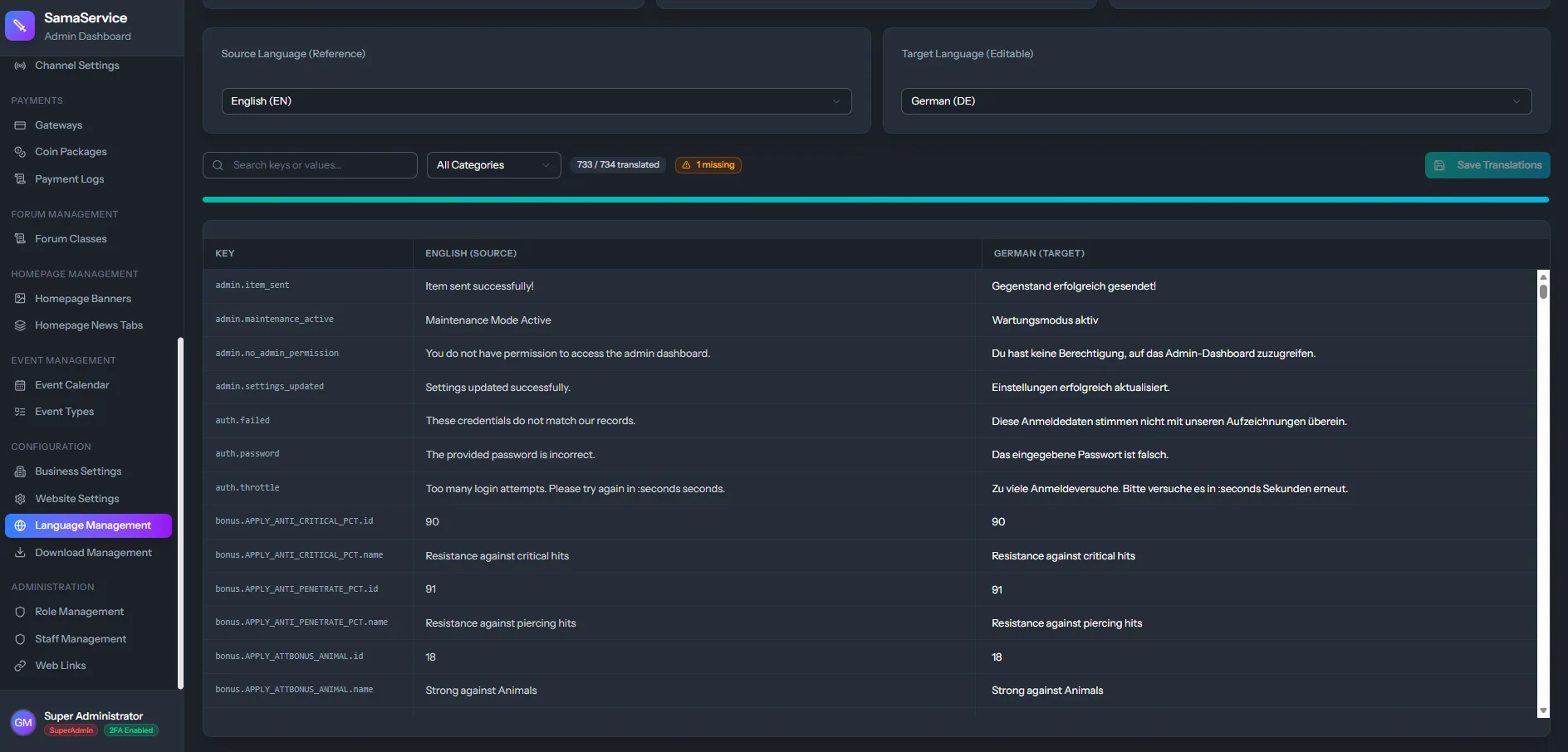
Live Dictionary Translations
You don’t need a frontend developer to edit the website text. The CMS provides a full live-translation dictionary.Select a Language
Click on the newly created language (or an existing one) from the Languages table.
Search Keys
The CMS will load hundreds of predefined “translation keys” (e.g.,
home.welcome_message, auth.login_button). You can search for the english word to find the correct key.