
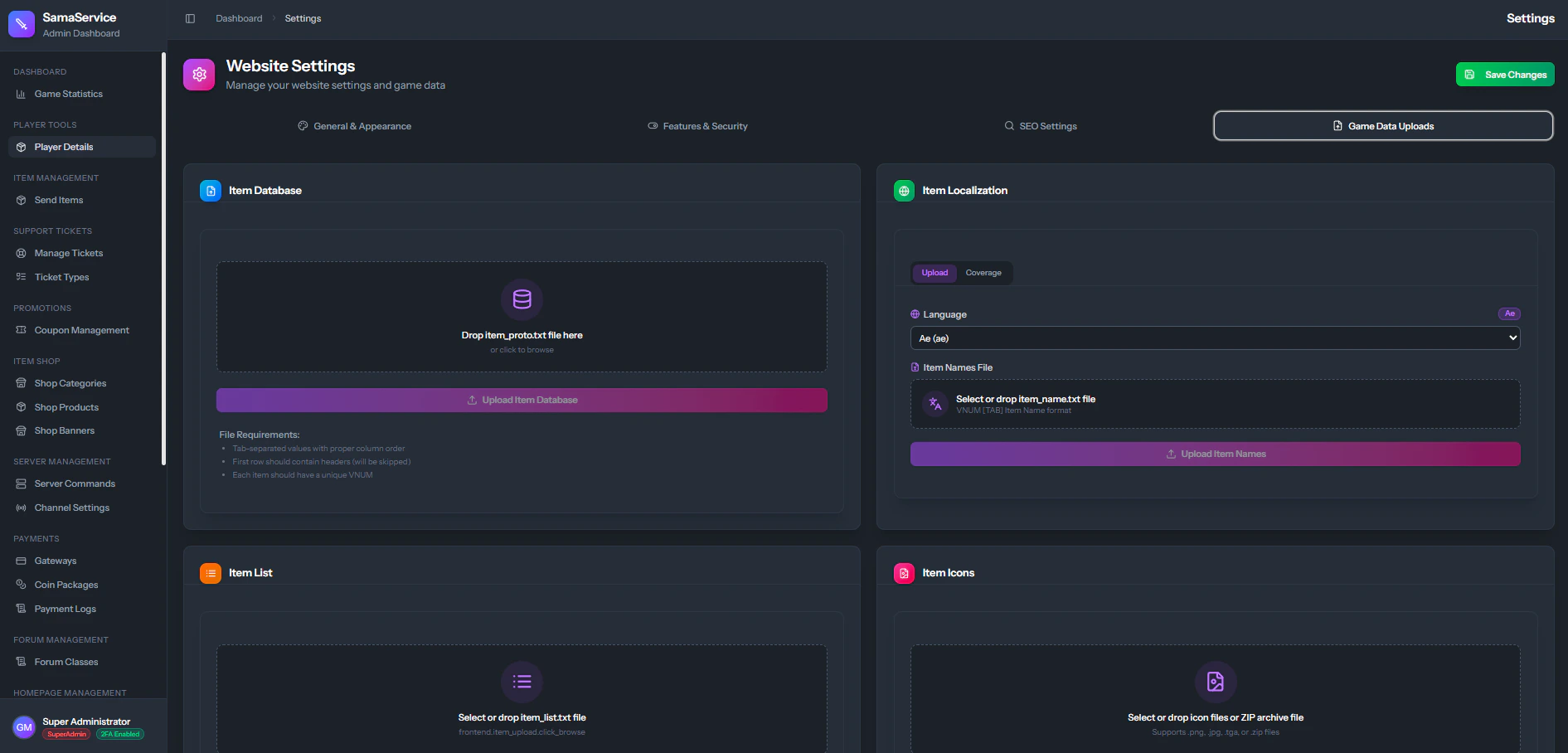
Required Data Files
The following files are typically extracted from your server’s client orlocale directories.
item_proto.txt
item_proto.txt
The core master database file that defines the structure and core attributes of every item in the game.
- Usage: Contains anti-flags, flags, item types, subtypes, and sizes.
item_names.txt (Item Localization)
item_names.txt (Item Localization)
Controls the display names of every single item ID in the game.
- Usage: Replaces the internal
vnumIDs with human-readable names across the Item Shop, Rankings, and Player Profiles.
item_list.txt
item_list.txt
Maps item IDs to their corresponding 3D models and client-side icons.
- Usage: Used by the CMS to associate an item with the correct icon image from your uploads server-side.
item_desc.txt
item_desc.txt
Provides the rich text descriptions and lore text for items.
- Usage: Renders detailed flavor text and descriptions in the Item Shop and user vaults.
Item Icons (PNG)
Item Icons (PNG)
A bulk upload of
.png images representing your game’s icons.- Usage: The actual visual images of the items displayed across the entire website. These images MUST match the names referenced in the
item_list.txtfile.
When you upload new data files, the CMS will automatically parse and overwrite the existing definitions in the database. Ensure your files are correctly formatted before uploading.