
Searching For Players
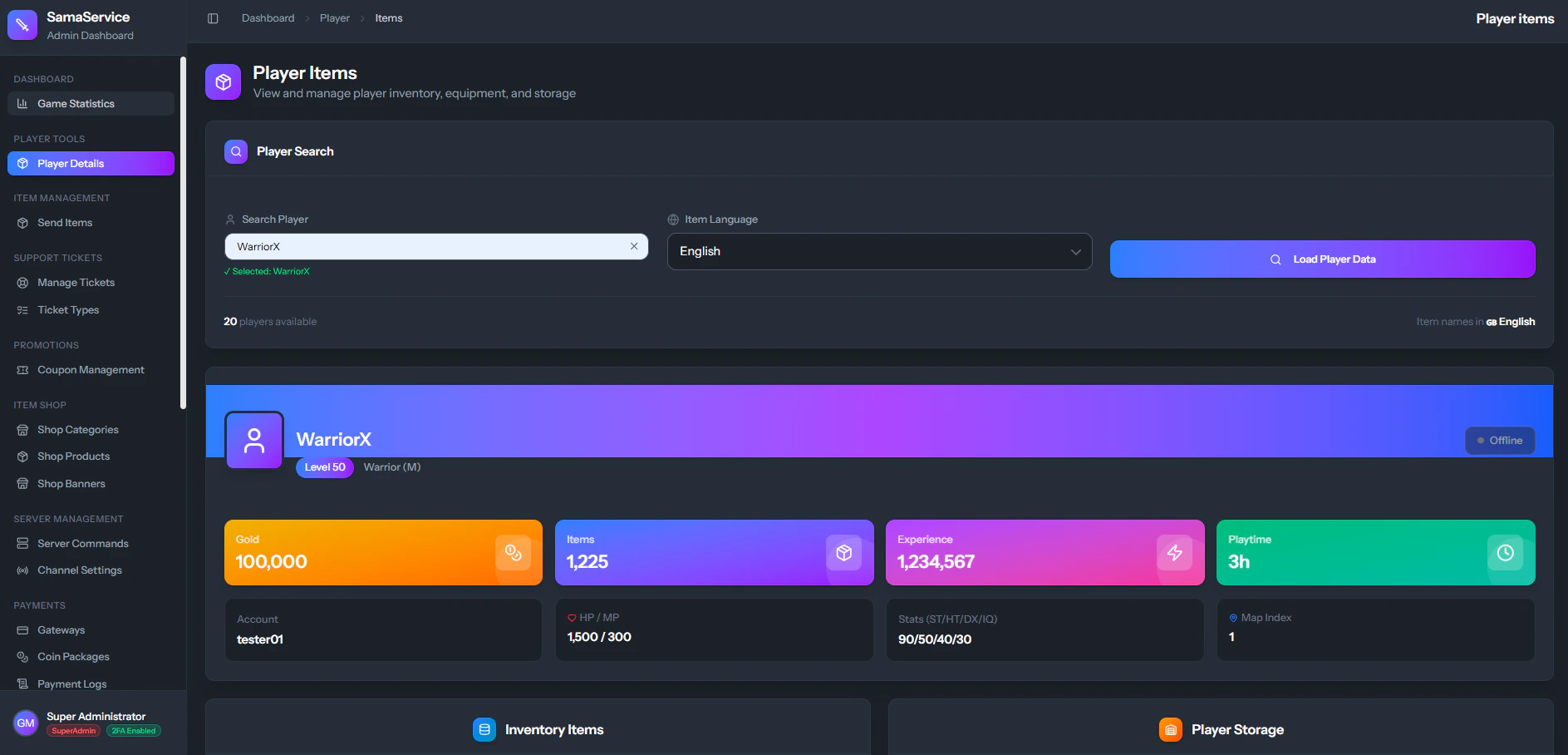
Administrators can quickly locate any character across the entire server:- Navigate to the Player Details section in the Admin Dashboard.
- Enter the exact character name into the search bar.
- The CMS will immediately query the database and load the character’s live data.
Character Overview
Once a player is loaded, the dashboard provides a rich, at-a-glance summary of their current standing:Live Status & Vitals
Live Status & Vitals
- Online Indicator: A pulsing green dot displays if the player has been active within the last 5 minutes.
- Level & Job: Instantly see their current level and class (e.g., Warrior (M), Sura (F)).
- Exact HP/MP: Monitor their current health and mana points.
Financials & Time
Financials & Time
- Gold: The total amount of Yang/Gold currently held by the character.
- Experience: Their exact EXP points.
- Playtime: An automatic conversion of their raw playtime into readable Days and Hours.
Statistical Breakdown
Statistical Breakdown
- Core Stats (ST/HT/DX/IQ): View their distributed status points (Strength, Vitality, Dexterity, Intelligence).
- Map Index: Identify exactly which map ID the player is currently located on.
Live Inventory Inspection
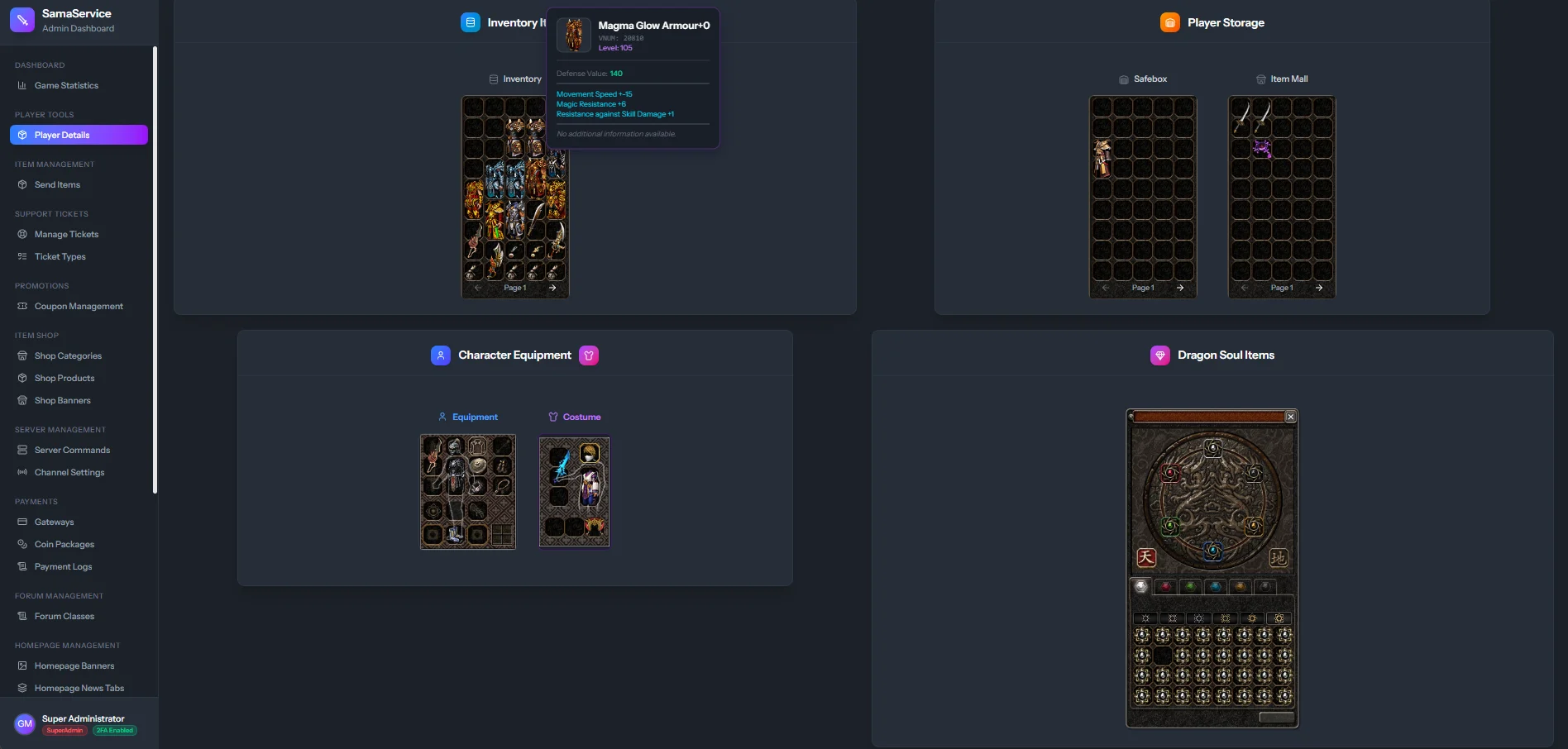
Below the statistical overview, administrators have full visibility into the player’s items:- Item Grids: View items exactly where they are stored: Equipped, Inventory, or Safebox.
- Rich Tooltips: Hovering over any item icon reveals its full data, including its name, upgraded status, and applied attributes (e.g., +1500 Max HP, 10% Half Human).
- Socket Data: Ensure items have valid stones and sockets attached to them.
The item names and icons displayed in the inventory rely heavily on the accuracy of your Game Data Uploads. If icons are missing, ensure your
item_list.txt and generic icons are up to date.