
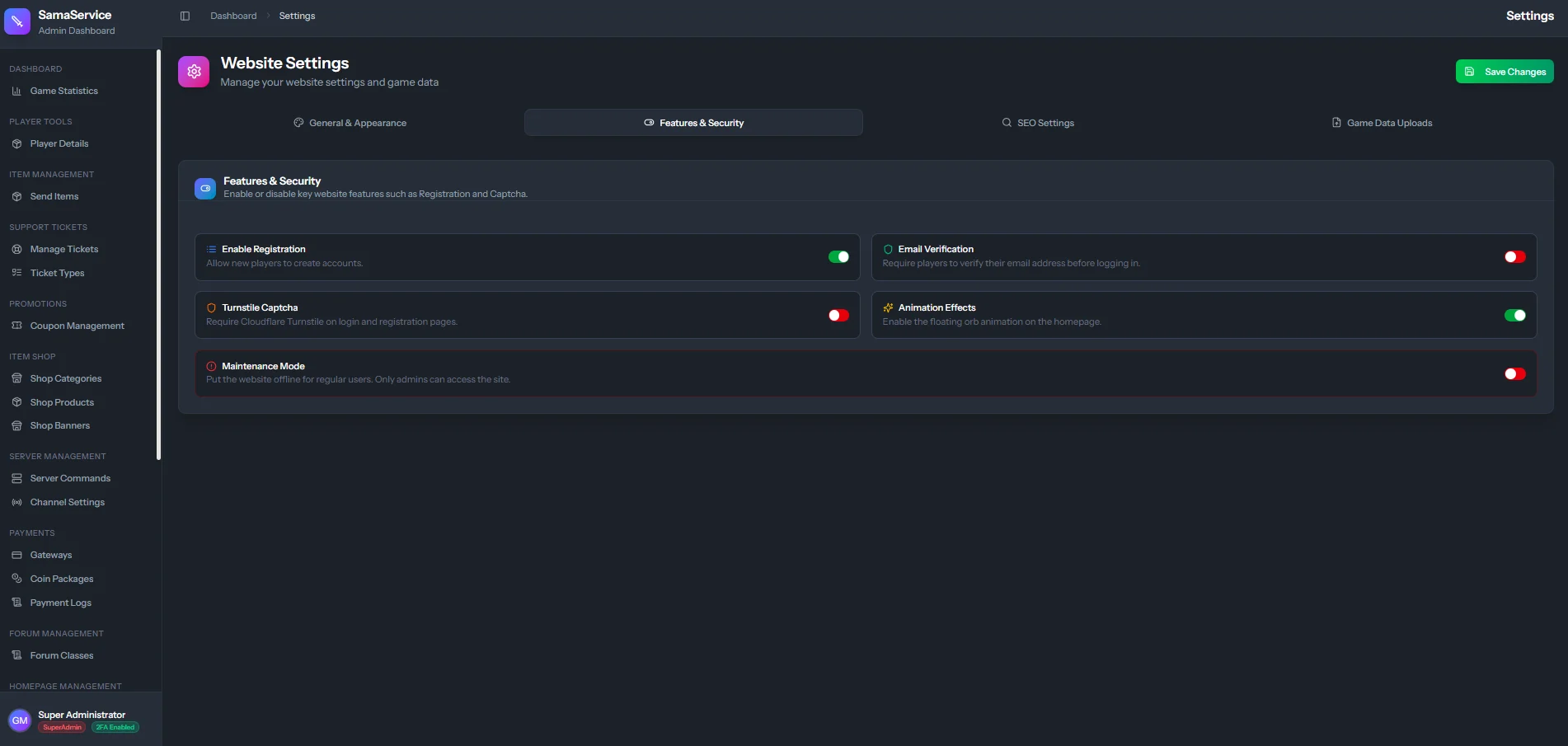
Core Toggles
Website Registration
Website Registration
Toggle: On / OffControls whether new users can create accounts. Disabling this is useful during closed betas, migrations, or if you prefer manual account creation. The registration page will show a designated closed message.
Email Verification
Email Verification
Toggle: Required / OptionalIf enabled, newly registered users must verify their email address by clicking a link sent to their inbox before they can download the client or access the Item Shop. This is highly recommended to prevent bot accounts.
Security & Maintenance
Maintenance Mode
Maintenance Mode
Toggle: Enabled / DisabledWhen enabled, the entire frontend website is replaced with a “We’ll be back shortly” maintenance screen.
- All non-admin sessions are logged out.
- Administrators can still log in via the separate
/admin/loginportal to make changes or test features.
Captcha Protection
Captcha Protection
Toggle: Enabled / DisabledEnables reCAPTCHA on the registration, login, and password reset forms to prevent automated brute-force attacks and bot registrations.
(Requires Captcha API keys to be configured in your environment).
Visuals
Interactive Orb Effect
Interactive Orb Effect
Toggle: Enabled / DisabledToggles the dynamic, animated visual effect that follows the user’s cursor on the homepage. While visually impressive, you may want to disable it if you prefer a cleaner, static layout.