The CMS contains a fully-featured, gorgeous, high-conversion Item Shop built natively into the platform. You do not need to integrate a clunky third-party shop script.

Shop Interface Layout

You can completely customize your shop’s navigation and visual appeal.
Banners are the large, promotional images displayed at the top of the Item Shop to catch your players’ attention immediately. From the admin dashboard, you can:
  • Upload promotional high-res images.
  • Set a hyperlink (so clicking the banner redirects the user to a specific item page or external wiki link).
  • Enable or disable banners instantly.
Building a clean architectural hierarchy lets you organize thousands of items clearly:
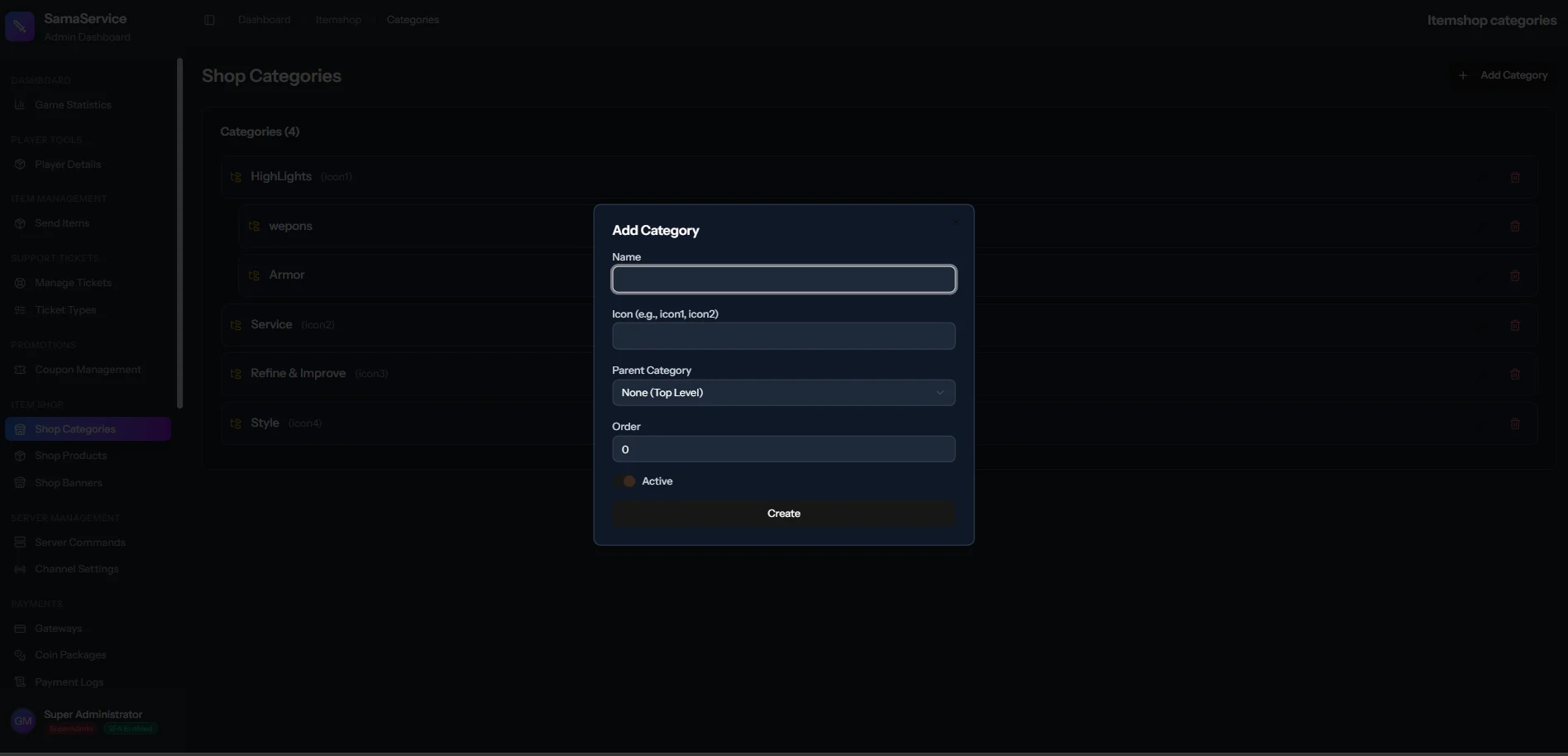
  • Top-Level Categories: E.g., Weapons, Armors, Mounts, Consumables.
  • Sub-Categories: E.g., Weapons -> Swords, Weapons -> Daggers.
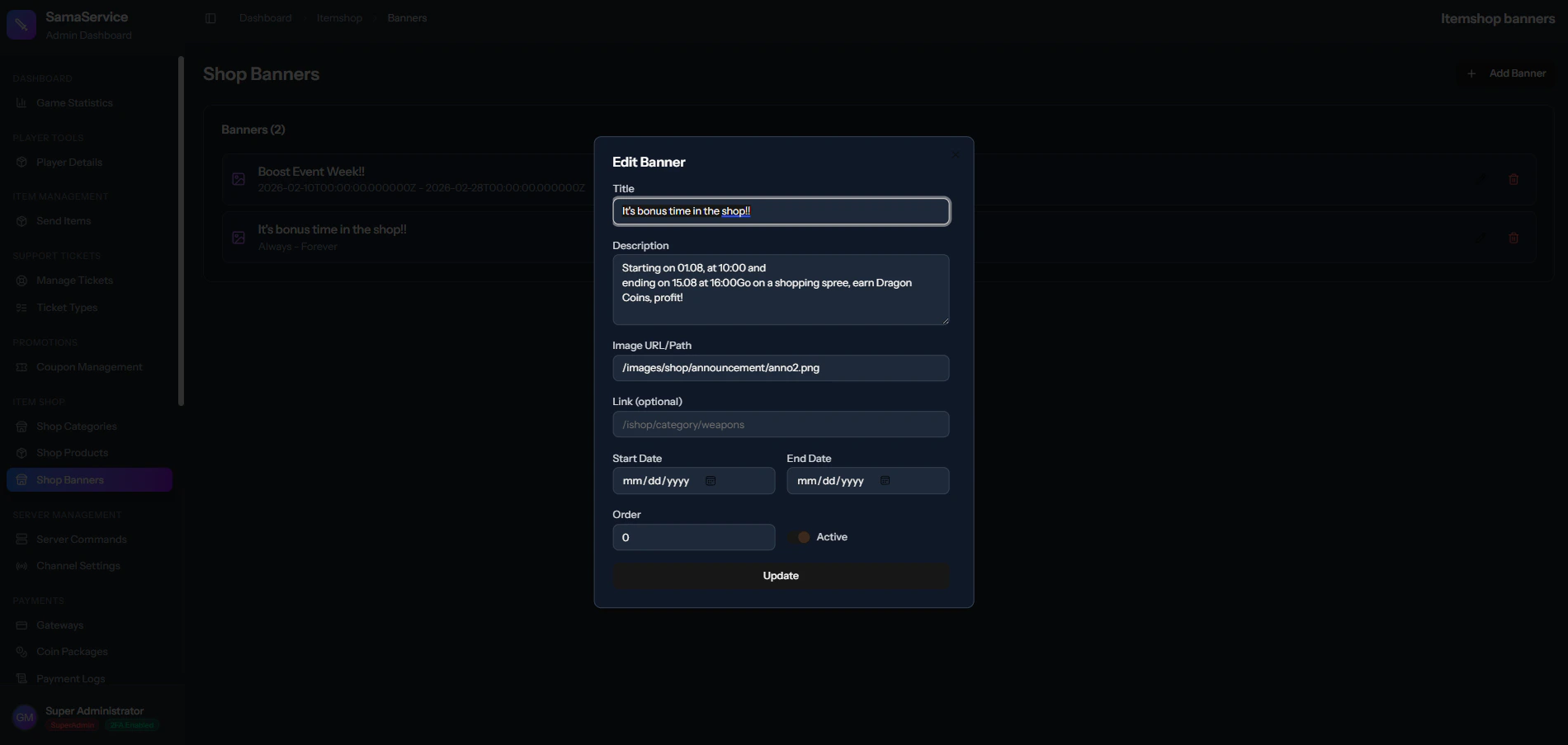
Shop Banner Management Shop Category Management

Adding Items to the Shop

Once you have synced your server’s item_proto (see Item Database Setup), launching an item for sale is incredibly rapid:
1

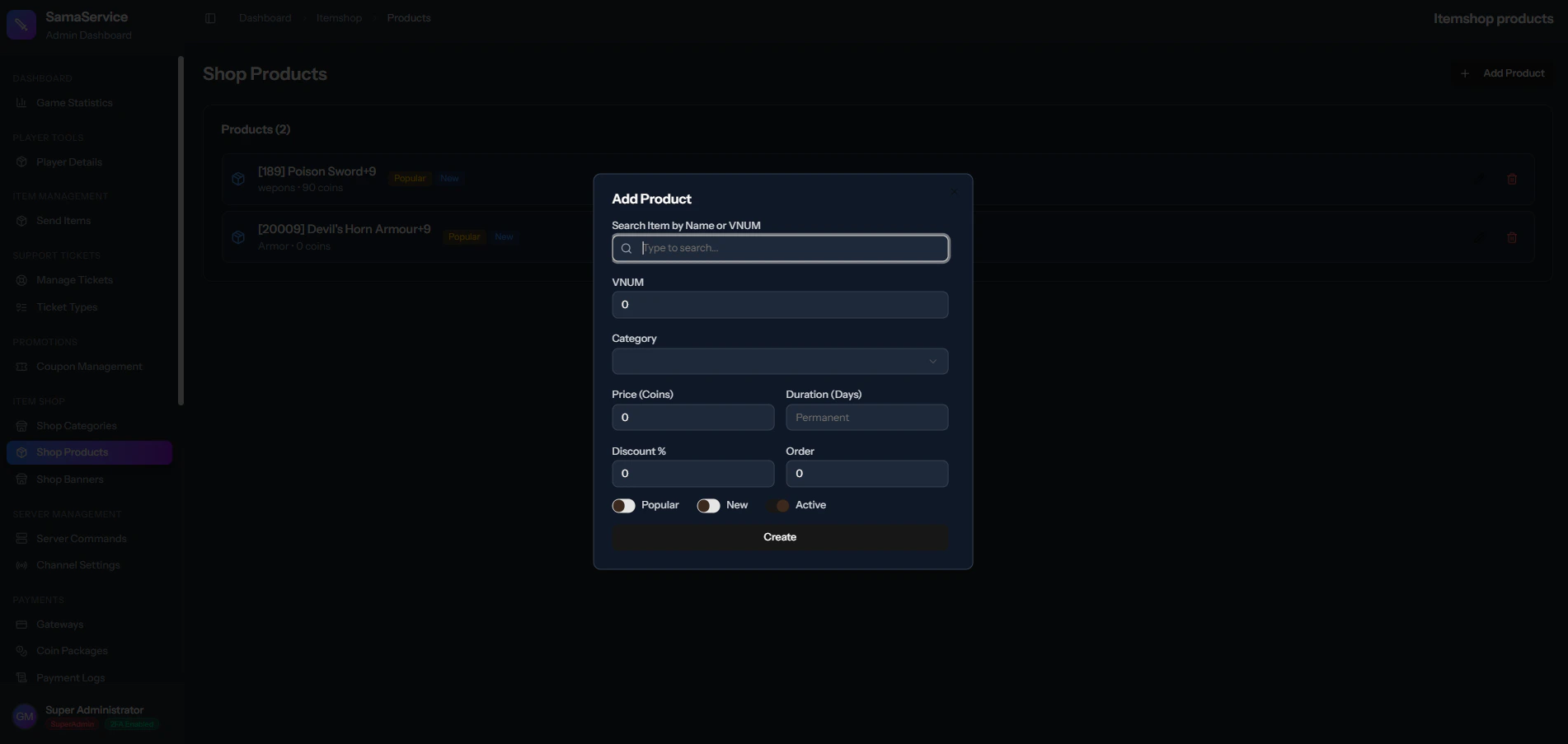
Search the Database

Search for the exact existing item in your database.
2

Assign Placement

Assign the item to a specific Shop Category so players can find it.
3

Set Pricing Structure

Set the normal Price in Dragon Coins (your premium server currency).
4

Marketing Flags (Optional)

Add a discount duration or a “Hot Item” label to artificially boost sales conversion rates.
5

Launch

The item will instantly appear in the Shop for players to buy, and upon purchase, the item is sent securely and instantly to their item_award safebox!
Shop Products Management